v0.1.3 published
Save space. Keep your games installed.
Compact Games helps Windows users free up storage without uninstalling the games they still want close by. It is built for crowded SSDs, large libraries, and anyone tired of deciding what has to go just to make room again.
- No account, analytics, or telemetry
- Compression can be restored later
- Same installer for first install and updates
- Open source, with SHA-256 checksums published
Compact Games is a Windows app. If you are on a phone, tablet, or another desktop OS, open this page on a Windows 10 or 11 PC to install the Windows installer.
Latest release
Live GitHub release details for the current Windows installer.
2894b10e8493...bb2f584f06c2Inside the app
Compression may affect this title
Star Citizen
Community reports indicate this game can crash on launch after file compression. Compact Games recommends leaving it alone.
Community reports indicate this game can crash on launch after file compression. Compact Games recommends leaving it alone.
Cancel
Continue anyway
Baldur's Gate 3
Saved 24.8 GB
Cyberpunk 2077
Restoring · 62%
Red Dead Redemption 2
Back to original
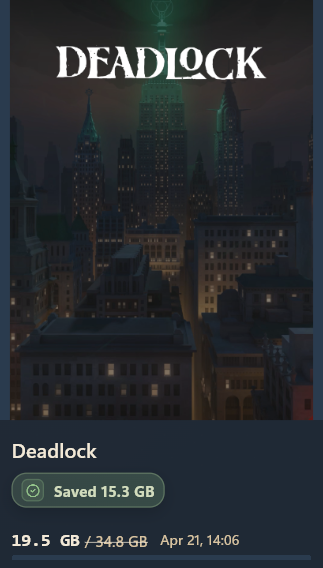
Scans your installed libraries and shows saved-space totals per title.
Easy start
It works with the launchers people already use.
Compact Games scans the game folders you already have, then lets you decide what to compress and what to leave alone.
Safer by design
Warns you before risky choices
If a game may not be a good fit for compression, Compact Games warns you before you make changes.
Your choice
Easy to restore later
Compression is reversible, so you are not locked into one choice.
Built for real cleanup
Less disk-space triage, fewer uninstall decisions.
The goal is simple: help you keep more of your installed games available on the same machine without turning storage cleanup into a chore.
What's new
Active development, small honest releases.
Recent release notes are pulled from the same GitHub source as the download card, then fall back to this static snapshot if the request is unavailable.
Full release history- v0.1.3 Apr 21, 2026Installer shortcut and autostart fix. Desktop shortcut and autostart registry entries now fire only on first install, so silent upgrades preserve choices you already made.
- v0.1.2 Apr 19, 2026Installer and update UX fixes. In-app update now relaunches after silent install, and upgrade installs preserve first-install shortcut and autostart choices.
- v0.1.1 Apr 19, 2026Update-flow and compatibility refresh test release. Validates in-app update flow and community unsupported-list refresh behavior.
Compatibility
Some games are better left alone.
Compact Games keeps a compatibility list so users can check known trouble spots before making changes.
Check the latest compatibility files
The app and the site both point to the same official release files, so you are not guessing which list is current.
Official source
GitHub release files
For everyday use
Use the unsupported list
For deeper review
Use the review bundle
Questions, support, and release links in one place.
Use the FAQ for plain-language answers, email for direct help, or GitHub if you want the latest release files or a place to report a problem.
Performance
Most supported games keep working normally after compression.
Some titles are more sensitive, which is why the app warns you before you make risky changes.
Undo
You can restore a game later if you change your mind.
Compact Games is meant to help you keep options open, not force one permanent setup.
Updates
The same installer is used for first install and later updates.
You do not need a separate updater package or a different download flow.